

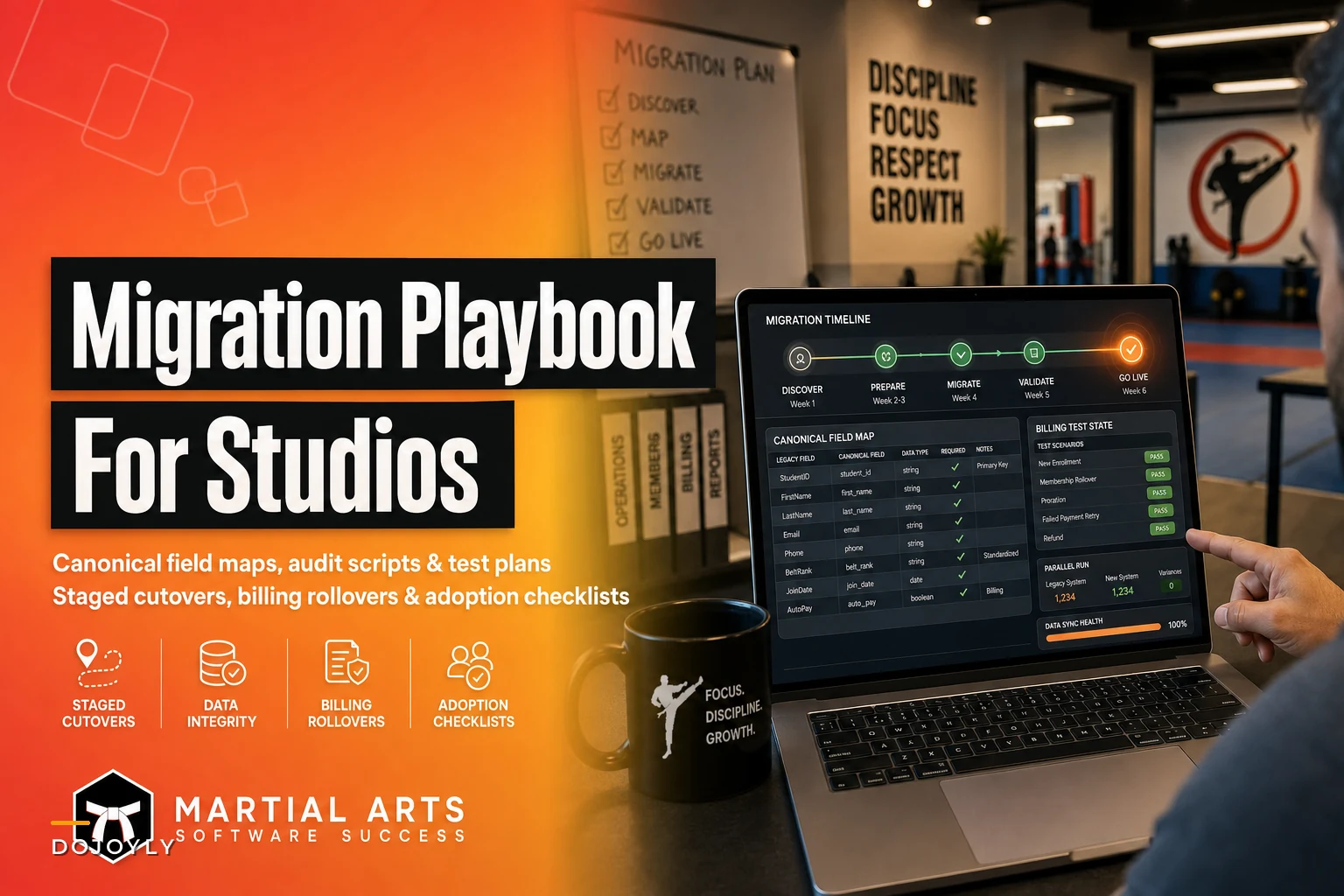

Switching studio software is one of those projects that looks simple on the sales call and turns into a mess three weeks in. The demo shows clean dashboards. The onboarding rep promises "we'll import everything for you." Then you go live, and suddenly a third of your students show up as "past due," a chunk of belt-rank history is gone, and your Tuesday 6pm class has two instructors assigned to it and no room.
The problem is almost never the new software. It's the migration — the gap between what lived in your old system and what actually made it into the new one. This is a playbook for closing that gap deliberately, instead of discovering it after your billing runs.
What follows covers the parts that actually break: the pre-migration audit, the canonical field map, staged cutover timelines, the billing cutover specifically (because that's where real money leaks), a test plan you can run in an afternoon, and the staff adoption and rollback checklists that decide whether the whole thing sticks.
Start by auditing what you actually have, not what you think you have
Every studio owner believes their data is cleaner than it is. Then you export the member table and find 1,400 records where you have maybe 600 active students. The rest are duplicates, long-canceled accounts, trial leads that never converted, and a few test entries named "asdf test" from three years ago.
Before you touch the new system, run an audit on the old one. Not glamorous, but it's the single highest-leverage hour in the whole project. You're looking for the specific things that break imports.
-
Duplicate members — same person entered twice, usually because a kid got re-enrolled under a slightly different name or a parent's email got attached to two children
-
Orphaned billing records — active payment profiles attached to members who are marked inactive, or vice versa
-
Inconsistent belt/rank fields — "Blue," "Blue Belt," "blue-belt," and "BB" all meaning the same thing
-
Missing required fields — new systems often require an email or DOB where your old one didn't, and blank fields fail the import row silently
-
Frozen or paused memberships — these almost never migrate cleanly and need a manual list
-
Family/household links — one parent, three kids, one card on file is the classic structure that breaks
Use a filterable column like
migrationstatusso you can quickly isolateduplicateanddonot_migraterows during cleanup.
A practical way to run the audit: export everything to a spreadsheet, add a column called migrationstatus, and tag each row as clean, duplicate, needsreview, or donotmigrate. You now have a working document instead of a vague sense of dread.
The canonical field map is where migrations actually succeed or fail
This is the part most people skip, and it's basically the whole game. Your old system and your new system almost never use the same field names, the same formats, or the same logic. A canonical field map is a single document that says, in plain terms, "this field over here becomes that field over there, and here's what to do when they don't match."
Simplify class bookings and attendance tracking.
Dojoyly helps you schedule, confirm, and manage every class effortlessly.
- Unified class & student management
- Automated member notifications
- Instructor scheduling & availability
No credit card required
Without it, you're relying on the new vendor's default import mapping, which was built for a generic gym, not your studio's belt curriculum or your family billing setup.
A canonical field map looks like a table. Keep it boring and complete:
| Old system field | New system field | Format / transformation | Notes |
|---|---|---|---|
student_name (single field) | firstname + lastname | Split on first space | Watch for multi-word last names |
rank (free text) | belt_level (dropdown) | Map via standard list | "BB" → "Blue Belt" |
join_date | enrollment_date | MM/DD/YYYY → YYYY-MM-DD | Blank dates default to migration date |
monthly_fee | plan_price | Strip "$" and commas | Confirm against active plan |
parent_email | billingcontactemail | Lowercase, trim spaces | Household head only |
notes | internal_notes | Concatenate | Don't lose injury/medical flags |
status | membership_status | active/paused/canceled | Map "frozen" to "paused" |
The belt/rank mapping deserves its own attention. This is the data that means the most to your students emotionally and the least to a generic import tool. If a student's rank history disappears, you'll hear about it — and it damages trust in the new system before anyone's given it a fair shot. Build the rank map by hand. List every distinct value in your old rank field, then assign each one to a canonical value in the new system. It's tedious and takes maybe an hour. Do it anyway.
One pattern worth flagging: free-text fields are where studios hide critical operational information. Injury notes, "mom prefers text not email," "dad has custody Tue/Thu," payment arrangements. These almost never have a clean destination field and get dropped in default imports. Decide deliberately where each type of note lands — don't leave it to the import tool.
Stage the cutover — don't flip everything at once
The instinct is to pick a date, move everything over that weekend, and open Monday on the new system. For a studio with real recurring billing and a full schedule, that's how you end up firefighting for a week.
A staged cutover moves the pieces in an order that limits the blast radius if something breaks. The order that tends to work:
-
Migrate read-only data first — members, rank history, contact info, notes. Nothing that charges money. Load it, verify it, let staff poke around while the old system is still the source of truth.
-
Rebuild the schedule and class structure — classes, instructors, room assignments, capacity. Do this manually if your studio is small; it's faster and cleaner than fighting an import.
-
Set up billing plans without connecting live payments — create the membership plans and pricing, attach them to migrated members, but keep them in a draft or test state.
-
Run a parallel period — both systems live for a short window, old one still billing, new one just being validated against reality.
-
Cut over billing last — this is the irreversible step and it gets its own plan below.
Here's a simple workflow diagram to visualize the staged cutover.
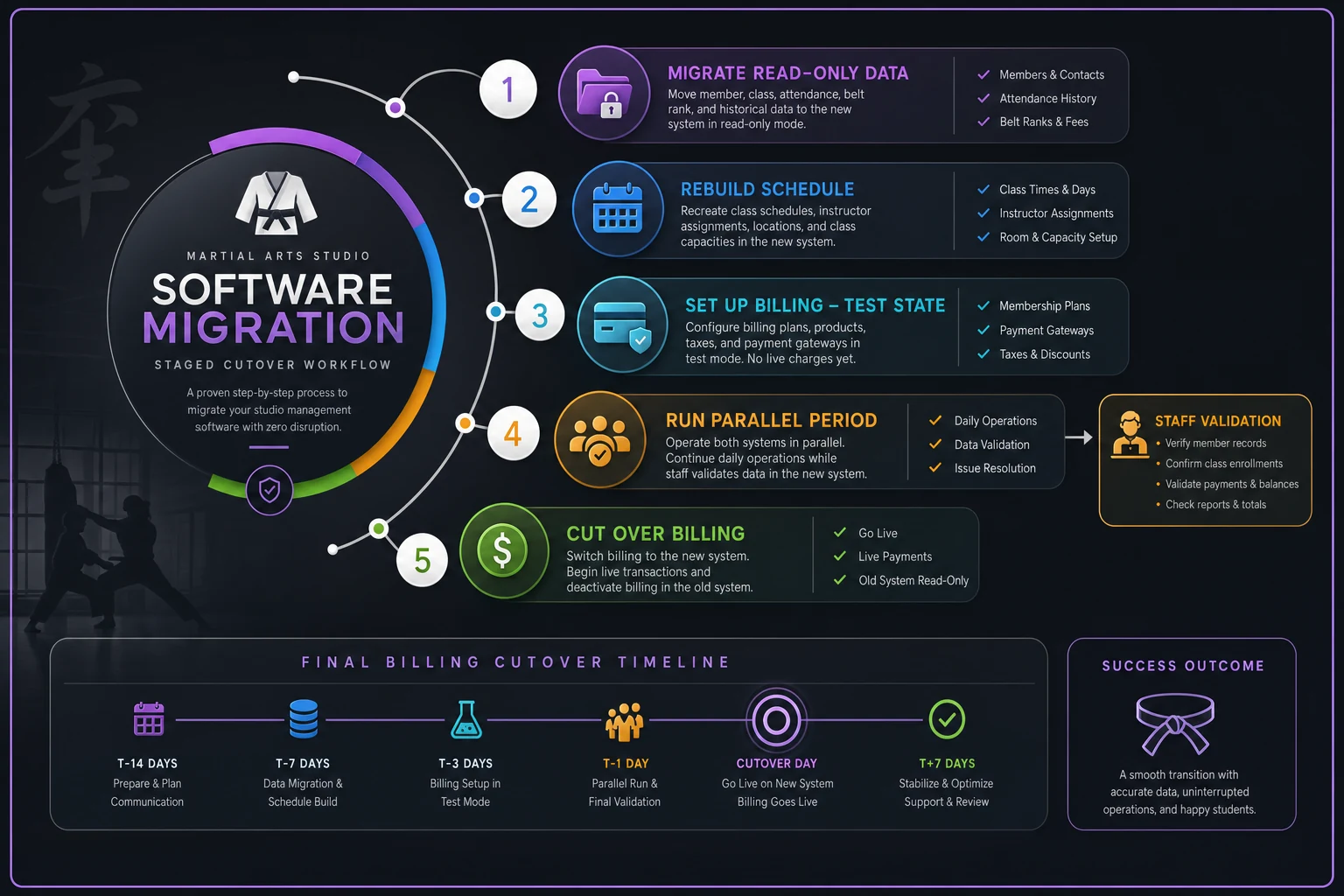
The parallel period is what separates smooth migrations from painful ones. For roughly a week to ten days, staff check students in on the new system while the old one still holds the official records. You find the broken rosters, the missing families, the mismatched schedules — while nothing is actually at stake. This overlaps with the same discipline that keeps multi-site operations from turning into admin chaos: validate in a low-stakes environment before you make it official.
When a staged cutover is overkill
If you're a solo instructor with 40 students and manual monthly invoicing, staging everything is more process than you need. Load your data, check it once, move on. The staged approach earns its keep when you have recurring auto-billing, multiple instructors relying on the schedule, or more than roughly 150–200 active accounts where errors are hard to catch by eye.
Billing cutover: the part that quietly loses money
This is where migrations do real financial damage, and it's worth reading twice. When you move payment profiles from one system to another, several things can go wrong at once — and most of them are invisible until a charge fails or, worse, a member gets double-charged.
-
Double billing — old system charges on the 1st, new system also charges on the 1st because nobody turned off the old auto-billing. Members notice this instantly and it's the fastest way to trigger cancellations.
-
Dropped charges — old system stops, new system isn't actually processing yet, and a whole billing cycle just doesn't happen. You won't notice missing revenue nearly as fast as members notice being double-charged.
-
Broken payment tokens — depending on your processor, card data may not transfer, and members have to re-enter their cards. Expect a meaningful chunk not to do this on the first ask.
A clean billing cutover plan looks like this:
-
Pick a cutover date that lands right after a billing cycle, not in the middle of one. If most members bill on the 1st, cut over on the 3rd or 4th so the old system's last charge has cleared and settled.
-
Turn off auto-billing in the old system explicitly. Don't assume canceling your subscription with the old vendor stops charges — confirm it in writing.
-
Confirm whether your payment processor supports card/token migration. If it does, this is worth every bit of paperwork. If it doesn't, plan a re-collection campaign.
-
Run the first new-system billing cycle as a small test batch — 10 to 15 members — before you run the whole roster. Watch those charges settle before you trust the rest.
-
Reconcile
compare last month's collected revenue to the first month on the new system. A gap means dropped members, not a rounding error.
The revenue discipline here connects directly to the weekly cashflow habits laid out in the studio financial operations playbook — if you're already watching collected-vs-expected each week, a billing migration gap shows up fast instead of surprising you a month later.
A test plan you can actually run
You don't need a QA department. You need a checklist and about ninety minutes. The goal is to prove the new system does the specific things your studio does every day, using real records.
Pull five real students that represent your edge cases:
-
One with a long rank history — confirm every belt shows
-
One family account with multiple kids on one card — confirm the household structure and single payment source survived
-
One paused/frozen member — confirm they're not about to get charged
-
One recent trial or mid-cycle signup — confirm proration and start date
-
One student with medical/injury notes — confirm nothing critical got dropped
For each, walk the full daily workflow: check them in, look at their billing status, view their notes, confirm their schedule. If all five pass, you've tested more than most studios ever do. If any fail, you've found a category of problem, not a single record — fix the mapping and re-test.
Staff adoption is a rollout, not an announcement
The cleanest migration in the world fails if your front-desk staff and instructors quietly keep using the old system, or worse, maintain a paper backup because they don't trust the new one. Adoption is where the project actually lands.
Training staff during the parallel period works — on live data, doing their real tasks, not a slide deck. Front desk needs to check students in and pull up accounts. Instructors need to see their rosters. Give them the two or three things they touch daily and let the rest come later.
-
[ ] Every staff member has logged in and reset their password
-
[ ] Front desk has done at least 20 real check-ins on the new system
-
[ ] Each instructor has confirmed their own class roster matches reality
-
[ ] Someone has processed a real payment and a real refund
-
[ ] The person who handles cancellations knows exactly where that lives
-
[ ] A single "who do I ask" point person is named for the first month
-
[ ] The old system is set to read-only, not deleted
That last point matters. Don't kill the old system the day you go live. Downgrade it to read-only if you can, or at minimum keep the account active for 60–90 days. It's your rollback insurance and your reference when a dispute comes up.
The rollback checklist — your plan for when it goes wrong
Most migration guides pretend nothing fails. Plan for it anyway. A rollback plan isn't pessimism — it's what lets you make the cutover decision confidently, because you know you can reverse it.
Before you cut over billing, confirm you can answer yes to all of these:
-
[ ] The old system is still active and holds accurate data as of the cutover date
-
[ ] Old-system auto-billing can be turned back on within a day if needed
-
[ ] You have an untouched export of all member and billing data saved somewhere outside both systems
-
[ ] Staff know the trigger conditions for rolling back (e.g., billing fails for more than ~10% of members)
-
[ ] You have a defined "point of no return" date after which rollback is off the table
Set a clear rollback window — usually the length of your parallel period plus the first billing cycle. If you get through one full, reconciled billing cycle on the new system with matching revenue and no roster complaints, you're past the danger zone. At that point you can retire the old system for real.
A realistic example of how this plays out
A two-location Brazilian jiu-jitsu academy with around 380 active members decided to switch systems mid-year. Their old platform export showed close to 900 records. The audit knocked that down to about 410 real active accounts after clearing duplicates and dead trial leads — meaning nearly half of what they'd have blindly imported was junk.
The billing cutover is where they saved themselves real pain. They ran the first cycle on a test batch of a dozen members, caught that roughly 15% of stored cards didn't transfer from the old processor, and ran a short "please re-add your card" campaign before the full run instead of after. Had they billed the whole roster cold, they'd have been chasing 50-plus failed payments in week one.
The rank history was the emotional win. Because they built the belt map by hand, every student's promotion history carried over intact — and the instructors, who'd been skeptical about the whole switch, stopped complaining the moment they saw their students' stripes and belts sitting exactly where they should be.
Total disruption at go-live: a handful of confused check-ins and one family account that needed manual fixing. Boring. Boring is exactly the goal.
The takeaway
A martial arts software migration goes wrong in predictable places: dirty data nobody audited, fields that quietly didn't map, billing that either double-charged or silently stopped, and staff who never really adopted the new tool. Every one of those is preventable with a document and a checklist, not luck.
Do the audit. Build the field map by hand, especially for ranks. Stage the cutover so nothing irreversible happens until you've validated the reversible parts. Give billing its own plan and its own test batch. Train staff on live data during a parallel window. Keep the old system breathing until you've cleared a full billing cycle clean.
None of this is exciting. But the studios that treat migration as a project instead of a weekend task are the ones who keep every membership, every belt record, and every recurring charge intact — and never have to explain to a parent why their kid vanished from the roster.
Ready to elevate your dojo operations?
Join 500+ martial arts studios using Dojoyly to save time, reduce scheduling conflicts, and improve member engagement.