

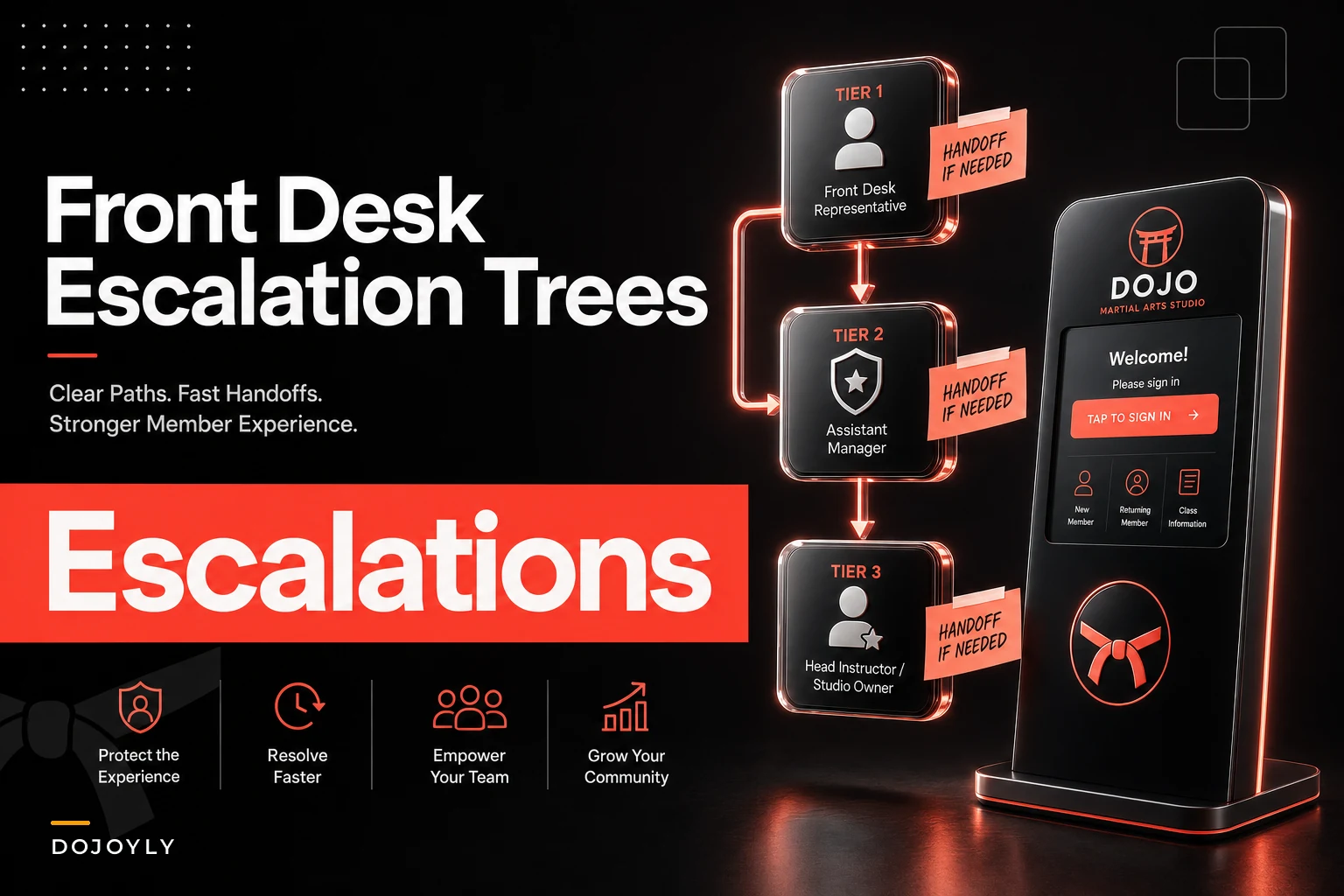

Most studios treat the front desk like a receptionist role. It's not. It's the single point where trials convert, upset parents get calmed down, failed payments get rescued, and freeze requests either turn into save-the-membership conversations or quiet cancellations. When that desk runs on vibes instead of a manual, revenue leaks in ways you never see on a report.
This is the manual. Response-time standards, an escalation tree that actually gets used, word-for-word templates for the three conversations that scare front desk staff most (trials, billing disputes, freezes), and a weekly QA checklist so managers can catch drift before it costs money.
The response-time problem nobody measures
Here's the pattern across studios that lose more inquiries than they should: a lead texts "how much are classes?" on a Tuesday night. Nobody answers until Thursday afternoon because the front desk person who saw it assumed the owner would follow up, and the owner assumed the front desk had it handled.
By Thursday that lead has already booked a trial at the Krav Maga place two miles away.
Speed to response is the most underrated conversion lever in a martial arts studio, and almost nobody puts a number on it. "Respond quickly" isn't a standard. "Respond to new inquiries within 15 minutes during staffed hours, within 12 hours overnight" is a standard. The difference is that one can be measured, coached, and enforced.
Set SLAs by channel and urgency, not by feeling
Different messages carry different revenue risk. A new lead cooling off is expensive. A current member asking about the summer schedule is not. Your SLAs should reflect that.
| Inquiry type | Channel | Target first response | Full resolution target |
|---|---|---|---|
| New lead / trial request | Text, DM, web form | 15 min (staffed), 12 hrs (overnight) | Booked or 2 follow-ups within 48 hrs |
| Billing dispute / failed charge | Phone, email | 2 hours | 1 business day |
| Freeze / cancellation request | Any | 1 hour | Same day, before they self-cancel |
| Schedule / general question | Any | 4 hours | Same or next day |
| Complaint about instructor/injury | Phone escalated | 30 min | Manager contact same day |
The overnight window matters more than most people think. Parents research after their kids are in bed. A form that comes in at 9:40pm and gets a warm reply by 9am converts far better than one that sits until someone "gets to it."
Quick reality check: if you can't tell me right now what your average first-response time on new leads was last week, you don't have an SLA — you have a hope.
The escalation tree: who owns what, and when it moves up
Front desk staff freeze on hard conversations because they're never sure whether they're allowed to make a decision. Can they waive a late fee? Approve a two-month freeze? Refund a trial? When the answer is unclear, they either overpromise or stall — and both options cost you.
Simplify class bookings and attendance tracking.
Dojoyly helps you schedule, confirm, and manage every class effortlessly.
- Unified class & student management
- Automated member notifications
- Instructor scheduling & availability
No credit card required
An escalation matrix removes that guesswork. It says exactly what a front desk person can handle alone, what needs a manager, and what needs the owner.
A three-tier structure that works for most studios
Tier 1 — Front desk resolves directly (no approval needed):
-
Waive a single late fee under $25
-
Reschedule a missed trial
-
Answer pricing, schedule, belt-testing questions
-
Process a standard freeze request within existing policy (e.g., up to 30 days, medical or travel)
-
Update payment method on file
Tier 2 — Manager approval required:
-
Freezes longer than 30 days or a second freeze inside 6 months
-
Prorated refunds or account credits over $50
-
Billing disputes where the member claims they were charged after cancelling
-
Any complaint about an instructor's conduct or teaching quality
-
Retention offers (discounted month, hold at reduced rate)
Tier 3 — Owner only:
-
Full refunds beyond one month
-
Injury claims or anything a parent frames as a liability issue
-
Threats to dispute the charge with their bank / chargebacks
-
Public complaints (Google review threats, social posts)
-
Contract cancellations tied to legal language
The trigger most studios miss is the chargeback threat. The moment a member says "I'll just call my bank," that's a Tier 3 event — not because front desk can't be trusted, but because a chargeback costs you the money and a fee and can hurt your processor standing. That sentence should route straight to the owner or manager with a specific save script, which we'll cover below.
How escalation should actually flow
The mechanics matter as much as the tiers. A clean escalation looks like this:
-
Front desk identifies the request falls outside Tier 1.
-
They tell the member honestly
"I want to get this right for you — let me bring in my manager so we handle it properly. You'll hear back by [specific time]."
-
They log the issue with the member's name, contact, exact ask, and any dollar amount, then flag it to the manager through one channel — not a sticky note, not a verbal "hey when you get a sec."
-
Manager responds inside the SLA window and either resolves it or moves it to Tier 3.
-
Whoever resolves it closes the loop with the member and notes the outcome so the next person who talks to that member isn't starting from scratch.
The flow below illustrates those handoffs and logging steps.
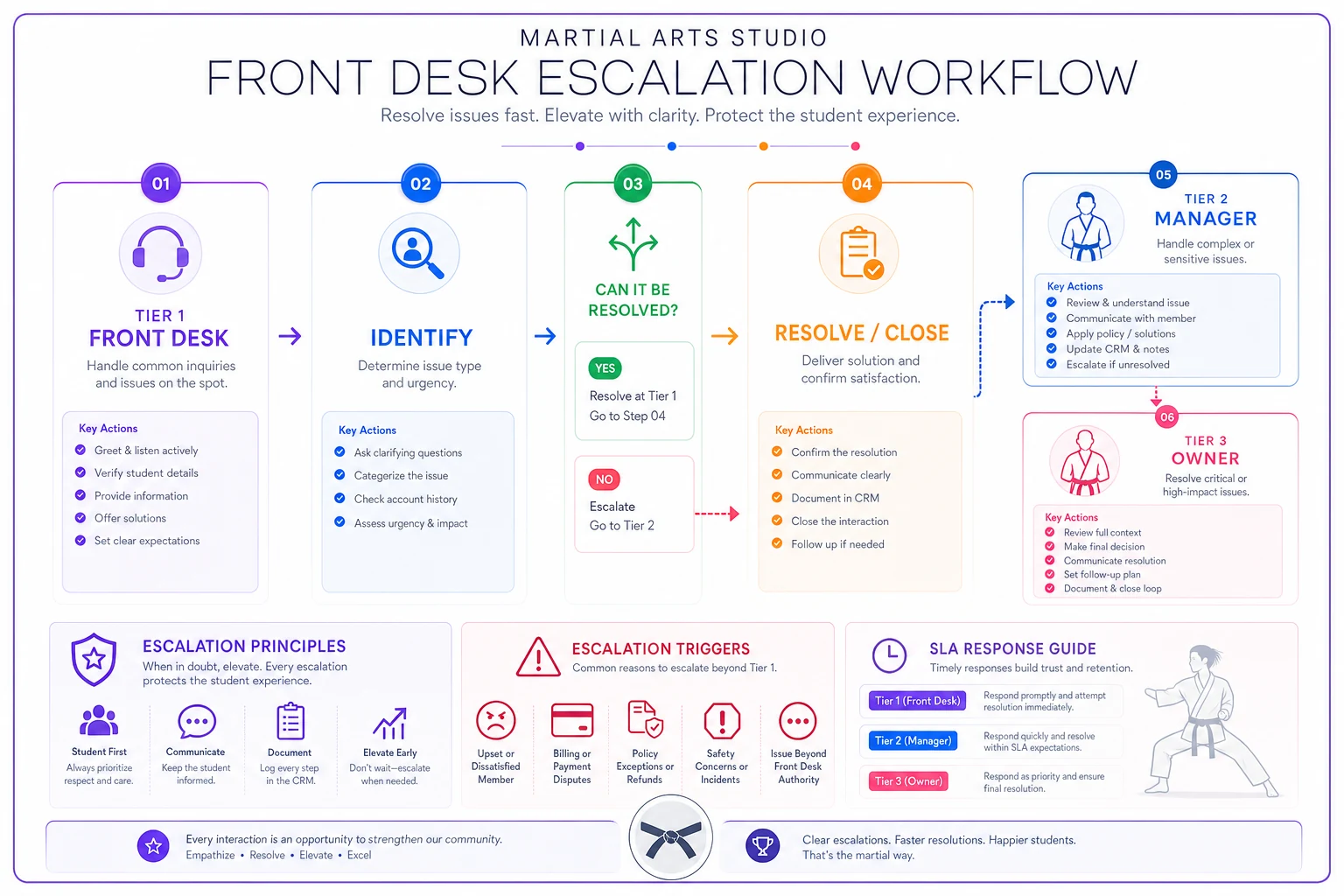
Log escalations in a single channel to avoid lost tickets and missed SLAs.
The two failure points are step 2 (giving a vague timeline like "someone will call you") and step 5 (resolving it but never logging the outcome). Both lead to the same place: the member calls back, gets a different answer from a different person, and loses trust in the studio.
Templated responses for the three conversations that decide revenue
Scripts get a bad reputation because bad scripts sound like a call center. Good templates aren't meant to be read robotically — they're a starting structure so a nervous front desk hire doesn't freeze or accidentally give away three months free.
Trial follow-up (the money is in the follow-up, not the first reply)
Most trials die from silence after the visit, not a bad class. The person had a great time, went home, life happened, and nobody nudged them.
> "Hey [Name], it was awesome having [Child]/you in class today! [Instructor] mentioned [specific detail — 'she picked up the front kick really fast']. When you're ready, I can hold a spot in the [beginner] program — want me to walk you through the two membership options?"
The specific detail is the whole trick. "She picked up the front kick fast" tells the parent someone actually watched their kid. Generic "hope you had fun!" texts convert at a fraction of the rate.
If no reply in 48 hours:
> "Just checking in, [Name] — spots in the [Tuesday/Thursday beginner] class are filling up for [month]. Happy to answer any questions before you decide. No pressure either way."
Two follow-ups, then stop. Beyond that you're annoying, and the contact goes in the "re-engage in 60 days" bucket. For the longer view on how this connects to the whole member journey, the student lifecycle framework lays out where trial conversion fits into curriculum and billing milestones.
Billing disputes (calm, factual, never defensive)
The instinct when a parent is angry about a charge is to defend the studio. That's exactly wrong. The move is to acknowledge, get the facts, and give a clear next step.
Member says they were charged after cancelling:
> "I'm really sorry for the confusion, [Name]. Let me pull up your account right now so I can see exactly what happened. Can you confirm the date you cancelled and how you let us know? I want to make sure we fix this properly today."
Notice what this does: it doesn't confirm they're right, and it doesn't call them a liar. It gets the cancellation date and channel, which is usually where the real story lives — they "cancelled" by telling an instructor after class, which never got recorded.
This is why clean billing rules and clear cancellation logging matter so much upstream. A lot of these disputes trace back to fuzzy proration and mid-cycle policies; the breakdown in avoiding confusing billing covers the exact rules that prevent half these fights from ever starting.
Failed charge, proactive outreach:
> "Hi [Name], quick heads up — the card on file for your membership didn't go through this month. Totally common, usually just an expired card. You can update it here [link] or I can take the new number over the phone. Want to knock it out now so there's no gap?"
Framing it as "totally common, usually just an expired card" removes the shame. People go quiet on failed payments because they're embarrassed. Take the embarrassment out and recovery rates climb.
Freeze requests (a freeze is a retention conversation in disguise)
A freeze request is a member telling you they're this close to leaving but want a reason to stay. Front desk staff who process freezes like paperwork miss the save.
Standard freeze within policy:
> "Absolutely, I can set that up. Before I do — is this a travel/schedule thing, or is something about the classes not working right now? I only ask because sometimes we can adjust the schedule instead of you losing momentum."
That one question surfaces the real reason. "Travel" freezes are fine — process them. But "I just can't make the 6pm anymore" isn't a freeze problem, it's a scheduling fix, and now you've saved a member who was about to pause and never come back.
Freeze that's really a cancellation:
> "Totally understand. Let me set up the freeze so you keep your rate and belt progress. And when you're ready to jump back in, just text me — I'll get you right back into the class that fits your schedule."
Preserving their rate and rank lowers the barrier to return. A frozen member is worth ten times a cancelled one because the re-entry friction is nearly zero.
When scripting is a bad idea
Templates fail in two situations, and pretending otherwise leads to those cringey "I'm sorry to hear you're experiencing that" robot responses.
The first is a genuine injury or safety complaint. Nobody wants a scripted reply when their kid got hurt. Front desk should have exactly one line — "I'm so sorry, let me get [Owner/Manager] on the phone with you right now" — and then get out of the way. Scripting past that point reads as cold.
The second is a long-tenured member with a specific, emotional grievance. A parent who's been with you three years and feels ignored needs a real conversation, not a paste job. The template can inform the tone, but reading it verbatim to someone who knows your studio well will backfire.
The rule of thumb: templates handle volume and consistency for common situations. Judgment handles the rare, high-emotion ones. Train staff to know which is which.
The weekly QA checklist for managers
Standards drift the moment nobody's checking. A front desk that hit its SLAs in January quietly slides to 4-hour lead responses by March because there was one busy week and the new normal just stuck. The weekly QA review is what catches drift while it's still cheap to fix.
-
- [ ] Pull all new leads from the past 7 days — what was the average first-response time? Any that sat over 2 hours during staffed hours?
-
- [ ] How many trials happened, how many got a same-day follow-up, how many got the second follow-up? (Missing follow-ups is the #1 leak.)
-
- [ ] Review every freeze processed — did the front desk ask the "why" question, or just process it?
-
- [ ] Any billing disputes logged? Were they resolved inside the SLA and closed with a note?
-
- [ ] Any Tier 2/Tier 3 escalations — did they route correctly, or did front desk try to handle something above their level?
-
- [ ] Read 3–5 random message threads. Do the replies sound human, or is someone pasting templates into situations that needed judgment?
-
- [ ] Any member who called back twice about the same issue? That's a closed-loop failure — find out why.
The read-the-threads step is the one managers skip and shouldn't. Metrics tell you if something's wrong; reading actual conversations tells you why. You'll catch the friendly-but-slow staffer, the one who's technically fast but sounds curt, and the templates that are aging badly.
A real scenario
A two-location studio with roughly 260 active members between both sites was losing trial conversions and couldn't figure out why — the classes were good, the instructors were liked. When they finally logged first-response times, the average on new leads was just under 9 hours, and about a third of trials got no follow-up text at all. The desk staff were friendly and competent; there was just no standard and no one checking.
They put in the SLA table, the three-tier escalation tree, and the trial follow-up templates, then had the site managers run the weekly QA. Nothing fancy. Within about two months, lead response dropped to under 30 minutes during staffed hours, trial-to-member conversion moved up by roughly 12–15 points, and — the part they didn't expect — billing disputes got quieter, because the failed-charge outreach script was catching problems before members got angry about them.
The revenue swing wasn't dramatic on any single line. It was a few saved trials a week, a handful of rescued payments a month, a couple of freezes turned into schedule fixes. Stacked over a quarter, it was real money that had been walking out the door invisibly.
Where the manual actually lives
None of this works if the SLAs, escalation tiers, and templates sit in a Google Doc nobody opens. The studios that make it stick build it into wherever their front desk already works — the CRM that logs the lead, the system that flags a failed charge, the tool that timestamps when a message came in versus when it got answered. When response-time tracking and escalation flags happen automatically inside the software the desk already uses, the weekly QA takes twenty minutes instead of an afternoon of digging, and drift shows up on a screen instead of in a churn report three months later.
The manual isn't the point, though. The point is that every hard conversation at the front desk — the cooling trial, the angry billing call, the quiet freeze request — is a moment where you either protect the relationship or lose it. Give your staff the standards, the tree, and the words, then check that they're using them. That's the whole job, and it's worth more to your revenue than most owners realize.
The manual isn't the point, though. The point is that every hard conversation at the front desk — the cooling trial, the angry billing call, the quiet freeze request — is a moment where you either protect the relationship or lose it. Give your staff the standards, the tree, and the words, then check that they're using them. That's the whole job, and it's worth more to your revenue than most owners realize.
Ready to elevate your dojo operations?
Join 500+ martial arts studios using Dojoyly to save time, reduce scheduling conflicts, and improve member engagement.